 Epic Music Player Pro
Pricing
Made for live events
Run the music, not the music player.
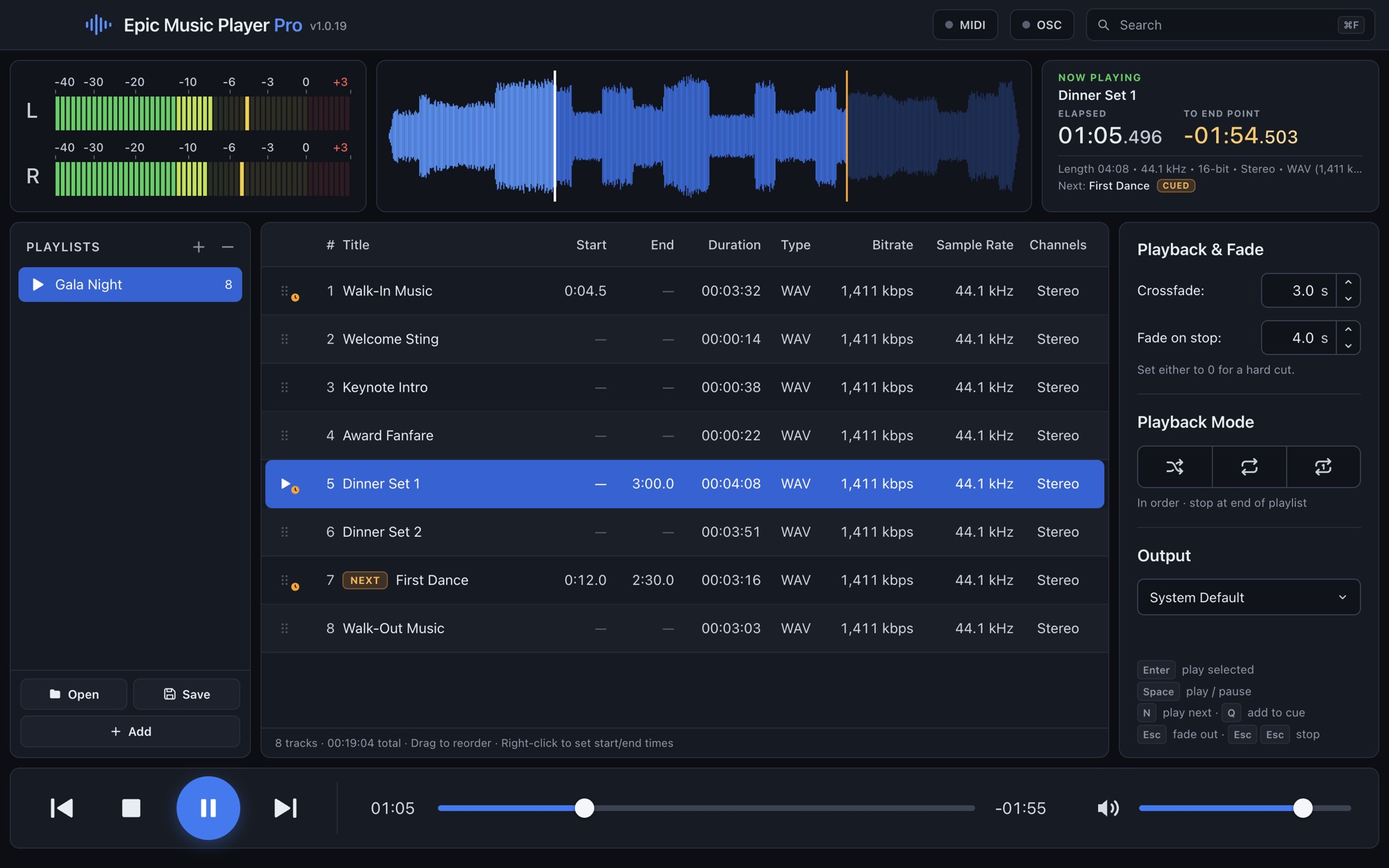
Build your playlist, trim every track to the part you need, and move between songs with clean crossfades. When plans change mid-event, line up the next song in a click.
Free for 14 days, with every feature. macOS 13 or later.
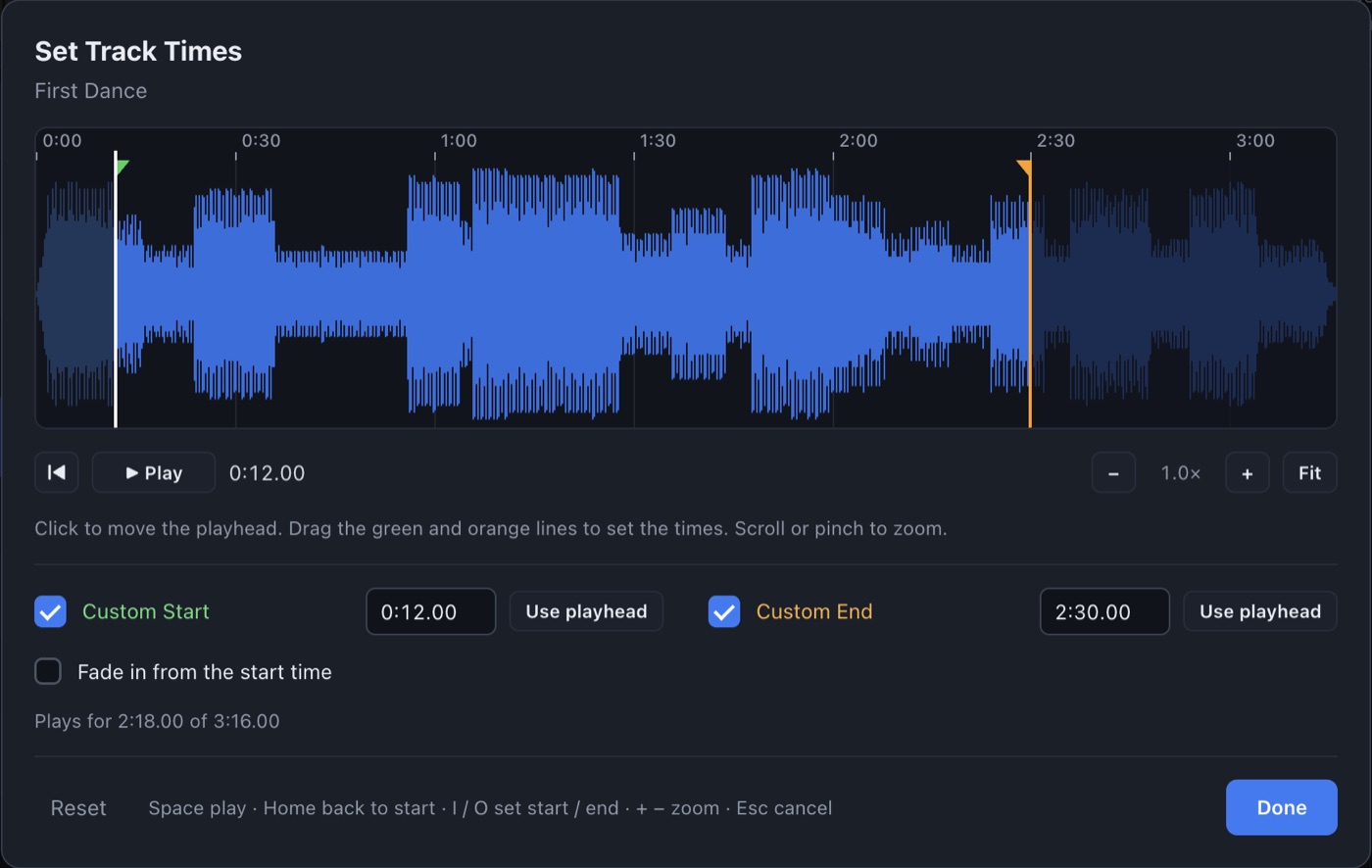
Start and end every track exactly where you want.
Open a song's waveform, zoom in, and drag the start and end points into place. Skip a long intro, or end on the big finish.
The app saves those times with the track and crossfades so the fade lands on your end point.
The details that matter during a show.
Play next, without losing your place
Right-click any song to line it up next. After it plays, the playlist picks up where it left off, and a red S marks the song it will now skip so nothing plays twice by accident.
Separate fade times
Set one time for crossfades and another for fading out on Stop. Set either to zero for a hard cut.
Big, clear clocks
See elapsed time and a countdown to the end point, plus the true running time of a trimmed track before it starts.
OSC and MIDI control
Trigger playback from a control surface or another show computer. Use MIDI Learn to map your controller, or send commands like /epic/next and /epic/cue 3 over OSC.
Find a song fast
Search your playlist and your whole computer from one box, then add what you find on the spot.
Saved playlists
Save a playlist for each event, with all its times and settings, and open it again for the next one.
It won't cut off your show.
If your trial ends while music is playing, the music keeps going, through the rest of the playlist if you let it. The app only asks for a license when you start playback from stopped. Once activated, it runs without an internet connection.
$39One-time price. Sales tax may apply.
- No subscription
- 14-day free trial with every feature
- Each license activates on 2 computers, so a main and a backup are covered
- Internet needed only to activate
Requirements
- Computer
- Any Mac on macOS 13 or later, Apple Silicon or Intel
- Audio formats
- MP3, WAV, AIFF, AAC/M4A, Apple Lossless, FLAC, Ogg, Opus
- Download size
- About 225 MB
- Windows
- A Windows version is in the works